

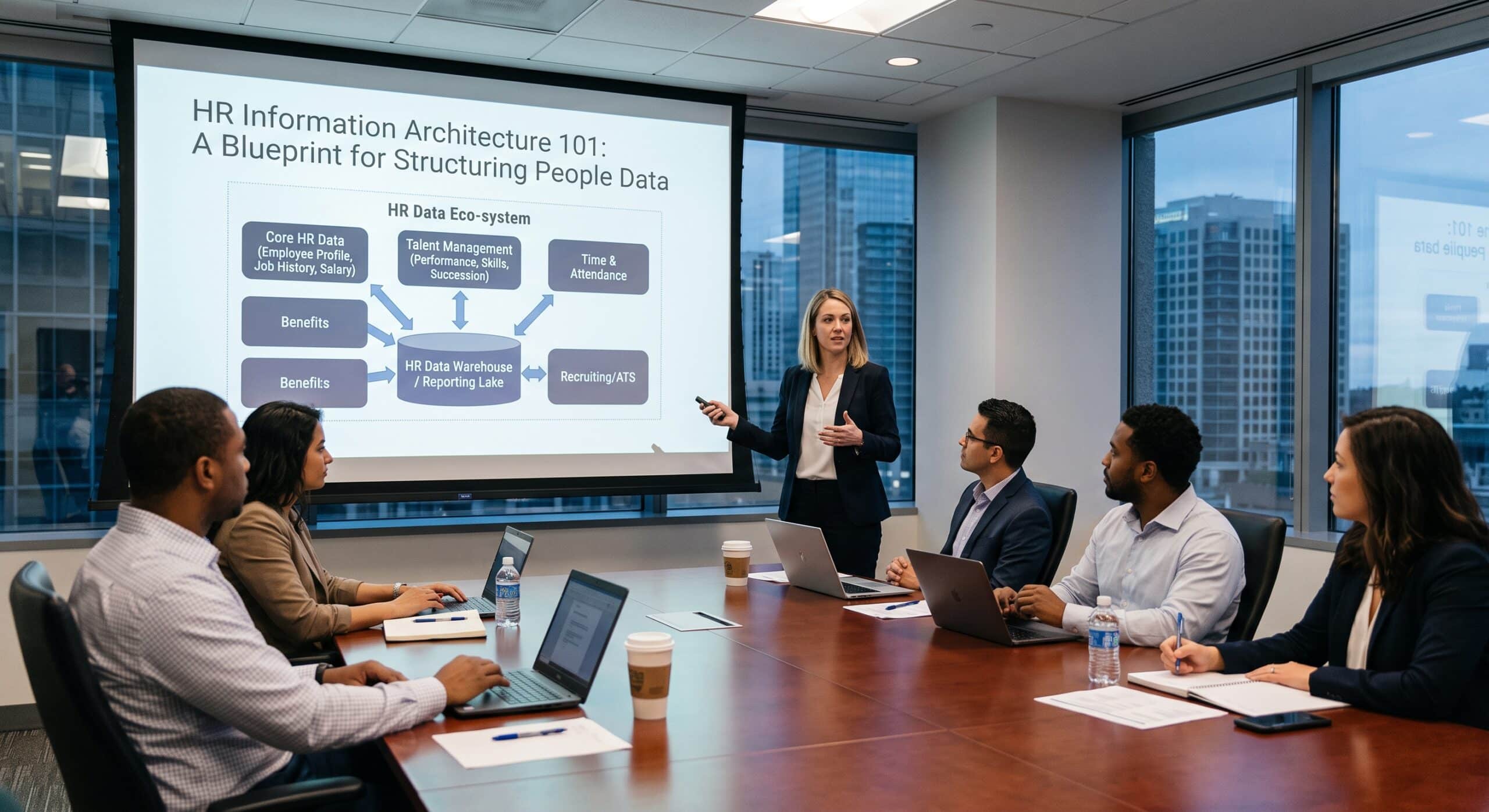
Every HR leader I have worked with can point to the moment they realized their HR information architecture was broken. For example, someone pulls a headcount number for the board deck and it does not match the number Finance has. Or a new hire shows up on day one, yet their laptop request never made it from the HRIS to IT because nobody built the connection. When systems are built in silos without a clear structure, this kind of operational chaos is inevitable.
That is what HR information architecture actually addresses. It is the discipline of deciding, on purpose, where every piece of people data lives and who owns it. It also covers how data moves between tools. And it covers what has to be true before anyone trusts a number that comes out the other end. Most companies never design this on purpose. Instead, they accumulate it, tool by tool, over several years, and then wonder why nothing lines up.
Why I Am Writing This Guide
I have spent more than 10 years building, untangling, and occasionally rebuilding HR data environments. My clients have ranged from 200 employees to over 20,000. In fact, the pattern stays remarkably consistent across all of them. The software itself is almost never the problem. Instead, the real gap is a missing plan for how the software talks to itself. Often, nobody clearly owns that connection when it breaks.
This piece works as a practical blueprint, not a theory lecture. Specifically, it walks through how you actually map, organize, and connect HR data across a real stack of tools. I use the same order an architect would use on a live project. That, too, includes the tradeoffs most vendor pitches conveniently skip.
What HR Information Architecture Actually Means
Strip away the jargon. In short, HR information architecture just answers four questions consistently, across every system that touches an employee record.
First, where does this piece of data originate? Second, who can change it? Third, where does it need to travel next? Finally, what happens when two systems disagree about it?
For instance, a payroll number makes a good example. An employee’s legal name has to originate somewhere, usually the HRIS or an identity verification step during onboarding. From there it needs to flow, unchanged, into payroll, benefits enrollment, the badge system, and the learning platform. If even one of those systems allows a local edit that never syncs back, you now have a name mismatch. That mismatch surfaces during a tax audit or a background check renewal. That is an architecture failure, not a typo.
Most organizations run somewhere between 8 and 15 distinct HR-adjacent tools. Count the applicant tracking system, the core HRIS, payroll, benefits administration, learning management, performance management, and time and attendance. Add an engagement survey tool, and whatever spreadsheet someone built to fill a gap nobody noticed until open enrollment. Typically, a different person bought each of these tools, at a different time, for a different reason. As a result, almost nobody stopped to ask how the tools would talk to each other. Information architecture is the retrofit, or ideally the upfront plan. Ultimately, it turns that collection into one coherent system instead of a dozen disconnected filing cabinets.
Why This Breaks Down in Almost Every Organization
Before the methodology, it helps to name why HR information architecture breaks down so often. The fixes only stick once you address the root cause instead of the symptom.
Companies purchase tools in isolation. For example, recruiting picks an applicant tracking system, while payroll picks a payroll provider. Nobody in that buying process asks how the two systems will exchange data. At the time, nobody frames it as a data question. Everyone treats it as a software question instead.
No single owner exists for the employee record. For instance, ask five people at a mid-size company who owns the definition of “active employee.” You will often hear five different answers: HR, IT, Payroll, Finance, and sometimes Legal. When ownership stays ambiguous, every team quietly builds its own version of the truth.
Data flows grow reactively. A report looks wrong, or an integration breaks. Someone then patches it with a manual export, a spreadsheet upload, or a quick script. These patches pile up for years, and nobody documents them. When the person who built the patch leaves the company, the fix becomes a mystery nobody can safely touch.
Growth outpaces the original design. A single spreadsheet might work fine as a source of truth for 150 employees. However, that same spreadsheet collapses at 1,500 employees spread across three countries with different employment laws, currencies, and reporting requirements.
None of this criticizes the people running HR operations. It is simply what happens by default when nobody explicitly owns the architecture. Instead, the real fix requires a deliberate, staged process, not a single tool purchase.
The Blueprint: A Step by Step Methodology
Here is the process I use, refined across a decade of projects, broken into 10 stages. Each stage builds on the one before it. As a result, skipping ahead causes most of these projects to stall.
Step 1: Inventory every system that touches people data
Start with a full inventory, not a guess. List every tool that stores, reads, or modifies employee information. Include the shadow spreadsheets and the vendor portals nobody thinks to mention. For each one, capture what data it holds and who administers it. Also, note how the system adds and removes employees, and whether it currently connects to anything else.
In fact, most teams find this list surprising. Count benefits carriers, background check vendors, equipment provisioning platforms, expense systems, and regional payroll processors. A dozen or more tools often turn out to hold some claim on employee data.
Step 2: Designate a single source of truth for each data element
Not every field belongs to the HRIS, even though people naturally assume so. Compensation history might live authoritatively in a compensation planning tool before it flows into the HRIS. A scheduling system might calculate time off balances before pushing them downstream. The rule stays simple even when the execution is not. Every field gets exactly one authoritative source. Instead, every other system that displays that field holds a copy, never an independent edit.
Write this down as a formal data ownership map. That map becomes the reference document you check every future integration decision against.
Step 3: Define the employee record’s core identity
Before data can move reliably between systems, every system needs to agree on how to identify the same person. This sounds trivial, yet it causes more integration failures than almost anything else. Consider three identifiers for one person: an employee ID from the HRIS and a separate payroll ID from the payroll vendor. Add an email address that changes when someone marries. All three need reconciliation to one canonical employee key. Pick a stable, non-reusable identifier as the anchor. Require every connected system to store it, even if that system also keeps its own local ID.
Step 4: Map the full employee lifecycle, not just individual data points
Data mapping works best when you anchor it to business processes rather than treat it as an abstract field-by-field exercise. Walk through the entire lifecycle: requisition and hire, onboarding, internal transfers and promotions, leave and return, and offboarding. At each stage, document which systems need an update, in what order, and within what timeframe.
For example, a transfer might need to update the HRIS record and change the reporting line inside the performance tool. It might also adjust the cost center in payroll and grant or revoke system access through IT. Miss any one of those four updates and you get quiet data drift. That drift later surfaces as a compliance issue or a payroll error.
Step 5: Choose the right integration pattern for each connection
Not every system pair needs the same kind of connection. Forcing one pattern everywhere wastes money and creates fragility. Three broad options exist. A direct API connection gives near real time, bidirectional sync. It suits high volume data that changes often, like status changes or compensation updates. A prebuilt connector through an integration platform stands up faster and stays easier to maintain for standard data flows. It does trade away some flexibility. A scheduled batch file transfer is less elegant, but it often becomes the right, low risk choice for lower frequency updates. A benefits eligibility file sent to a carrier once a pay period is a good example.
I often see teams treat batch transfers as a permanent embarrassment that needs immediate replacement with a real time API. Sometimes, though, a nightly file genuinely does the job. Yet spending engineering budget to make it real time solves a problem nobody actually has.
Step 6: Build a data dictionary and enforce field level standards
Two systems can both have a field called “department” and still mean different things by it. One might store a department code, another a free text department name, and a third a hierarchical cost center. Build a shared data dictionary that defines every core field, its accepted values, its format, and which systems consume it. As a result, this single document prevents an enormous amount of downstream reconciliation work. Treat it as a living asset and update it every time a new system joins the stack.
Step 7: Establish governance and clear ownership roles
Architecture without governance decays within a year. Assign a data owner for each major category of people data. That person answers for its accuracy and its access rules, typically a senior HR or People Operations leader. Assign data stewards too, usually HRIS administrators who handle day to day maintenance, monitor sync failures, and run periodic audits. Finally, loop in IT or a data team as data custodians who maintain the underlying infrastructure, security, and audit logging.
Build access controls around actual job function rather than seniority, on a need to know basis. A manager should see their direct reports’ records without being able to bulk export the entire organization’s compensation data.
Step 8: Migrate and validate before anything goes live
Every migration needs a validation pass before it touches production. Pull a representative sample, including edge cases like employees on leave, contractors, and recent terminations. Manually verify the mapped data matches the source system, field by field. Then run the full sync in a sandbox environment first. After all, catching a broken mapping rule in a test environment costs less than discovering it three weeks into live payroll runs.
Step 9: Roll out in phases and monitor continuously
Resist the urge to flip every integration on at once. Start with the highest value, lowest risk connection. Prove it works cleanly for a full cycle, then expand from there by department or by data type. Also, build monitoring into every integration from day one. Include failed sync alerts and record count reconciliation between systems. Finally, add a scheduled anomaly review, at minimum monthly, that flags inconsistent records across systems.
Step 10: Document everything and revisit the architecture on a set schedule
Most of these systems degrade over time for one simple reason: nobody wrote down how they work. Document every data flow, every transformation rule, every owner, and every known limitation. Keep that documentation somewhere the next person will actually find it, rather than buried in an old project folder. Revisit the entire HR information architecture at least once a year. Also revisit it whenever a new system joins the stack or you replace a major vendor. A change in one corner of the stack almost always creates downstream effects nobody predicted at the time.
Common HR Information Architecture Failure Points Worth Watching For
A few specific traps come up often enough to call out directly. Treating an integration project as a one time task, rather than an ongoing responsibility, ranks among the most expensive mistakes. The integration that works perfectly at launch will eventually break once a vendor changes its data format without notice.
Letting more than one system claim authority over the same field causes similar damage. For example, suppose both the HRIS and the payroll system allow direct edits to an employee’s job title. The two will eventually disagree. Resolving that conflict after the fact hurts far more than preventing it up front.
Skipping the data dictionary step because it feels like paperwork rather than real work forms a third trap. Teams that skip it end up reinventing field definitions system by system. As a result, that recreates the exact fragmentation the architecture aimed to eliminate.
A Quick HR Information Architecture Example From the Field
For instance, a mid-size logistics company I worked with ran 11 separate systems that touched employee data. None of them agreed on active headcount. The HRIS said 640 employees. Payroll processed 655. Meanwhile, the badge access system carried 690 active credentials, many belonging to people who had left the company months earlier.
We did not start with a new tool. Instead, we started with Step 1 and Step 2: a full inventory, followed by a single owner for every core field. It turned out HR entered termination dates into the HRIS. Facilities ran badge deactivation as a completely separate manual process, with no trigger connecting the two. Nobody had ever asked whose job it was to close that loop. Nobody had ever asked the two teams to think of themselves as part of the same data flow.
Once we settled the ownership question, the fix turned out simple. A termination event in the HRIS now automatically triggers badge deactivation the same day. That runs through a scheduled integration rather than a new real time API, because a same day batch job easily met the actual business need. Within one quarter, the three headcount numbers converged. They have stayed within a handful of employees of each other ever since. That counts as effectively exact for an organization that size.
How to Know Your HR Information Architecture Is Actually Working
A well built HR information architecture shows up in a few measurable ways. For example, headcount and org data match across every system without manual reconciliation. Similarly, new hires and terminations flow through the full system chain without a human manually updating three separate tools. HR, Finance, and executive leadership pull reports that use the same underlying numbers. Each team still formats them differently for its own audience. When a new HR tool joins the stack, connecting it takes days of configuration against an existing standard. It no longer takes months of custom, one-off engineering.
If none of that describes your current environment, do not treat it as alarming. Every architecture project begins at that exact starting point. Instead, the 10-step process above moves an organization from there to a stack that behaves like one coherent system. It stops being a loose collection of tools that happen to share some employees.
Frequently Asked Questions
What is HR information architecture in simple terms?
It is the deliberate design of how a company organizes, owns, and moves employee data between every HR-related system it uses. Every tool then works from a consistent, accurate view of the workforce instead of its own disconnected copy. AIHR’s guide to building an HR data strategy covers the broader strategic framing this sits inside: AIHR, 12 Steps To Build an HR Data Strategy
Who should own HR information architecture inside a company?
Accountability usually splits three ways. A senior HR or People Operations leader acts as the data owner responsible for accuracy and policy. HRIS administrators act as data stewards who handle daily maintenance. Finally, IT acts as the data custodian managing infrastructure and security. Leapsome’s data governance framework lays out this role structure in detail: Leapsome, HR Data Governance: A Practical Framework for People Teams
How is HR data mapping different from HR data integration?
Data mapping is the planning step. You decide which fields correspond to which fields across systems and what transformation rules apply. In contrast, integration is the technical execution that moves data according to that map, whether through an API, a connector, or a scheduled file transfer. Candoriq’s overview walks through mapping techniques and a full 10-step mapping process: CandorIQ, Data Mapping in HR: From Basics to Workflow Models
Do small companies need a formal HR information architecture?
Yes, though the scope stays smaller. Even a company with three HR tools benefits from choosing a single source of truth per field and documenting how data moves between them. The cost of fixing bad habits grows sharply with headcount and tool count. HiBob’s integration guide includes a useful breakdown of how implementation timelines scale with company size: HiBob, HRIS Integration: Types, Benefits, and a Step by Step Guide
What is the biggest mistake companies make with HR data integration?
Most often, two systems independently editing the same field causes the most damage, along with treating integration as a one time setup task instead of an ongoing responsibility with monitoring and periodic review. Apideck’s guide to HRIS integrations covers common pitfalls and current trends organizations should plan around: Apideck, A Guide to HRIS Integrations: Best Practices, Use Cases, and Trends
How often should you review an HR information architecture?
Review it at minimum once a year. Also review it immediately whenever a new system joins the stack, you replace a vendor, or the company crosses a major growth milestone such as expanding into a new country with different employment and payroll requirements.
References
AIHR. “12 Steps To Build an HR Data Strategy.” Available at: https://www.aihr.com/blog/hr-data-strategy/
AIHR. “HR Data Management: A Practical Guide.” Available at: https://www.aihr.com/blog/hr-data-management/
Leapsome. “HR Data Governance: A Practical Framework for People Teams.” Available at: https://www.leapsome.com/blog/hr-data-governance
HiBob. “HRIS Integration: Types, Benefits, and a Step by Step Guide.” Available at: https://www.hibob.com/blog/hris-integrations/
HiBob. “HR Data Integration: How to Integrate HR System Data.” Available at: https://www.hibob.com/blog/hr-data-integration/
CandorIQ. “Data Mapping in HR: From Basics to Workflow Models.” Available at: https://www.candoriq.com/blog/data-mapping-in-hr
Apideck. “A Guide to HRIS Integrations: Best Practices, Use Cases, and Trends.” Available at: https://www.apideck.com/blog/a-guide-to-hris-integrations-best-practices-use-cases-and-trends-for-2025